
Your AI assistant can search the photos on this computer
MCP is the standard that lets an AI assistant talk to a local tool. FaceNest ships one: switch it on in Settings and the assistant reads the answers you already have — face clusters, automatic tags, AI descriptions, dates, GPS — instead of uploading your photos for a model to look at, one by one. Read-only by default; writing is your switch. Included in the free tier.
- 28 tools: 22 read-only + 6 write
- Writing is a separate switch in Settings, off by default
- The connection stays on your machine (127.0.0.1, with a token)
- In the free tier · no account needed
What it solves
What your computer already worked out, the assistant can use
Handing a whole batch of photos to a cloud model is slow, expensive, and it means handing the photos over. FaceNest has already done that work on your machine — MCP hands the finished results to the assistant.
It reads the index you already built
Face clusters, automatic tags, AI descriptions, dates, GPS, video frames — the assistant queries what is already computed. It gets ids, names, scores and thumbnails; the model never has to look at the pictures again.
Read-only unless you say otherwise
22 read-only tools + 6 write tools. Writing is a separate switch in Settings: off, the assistant can look but cannot touch. The connection is local only (127.0.0.1) with a token you can rotate at any time.
You are in the room when it picks
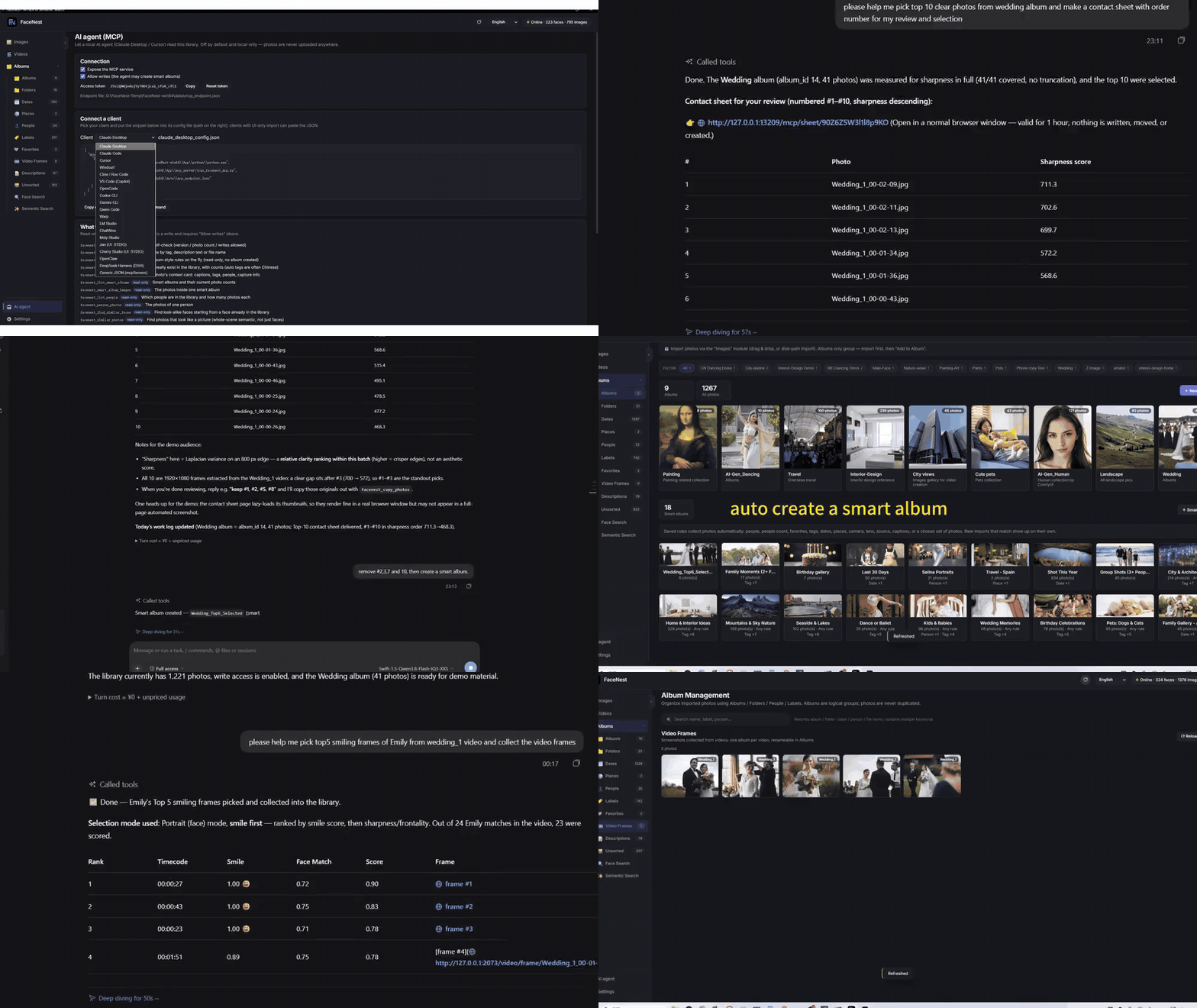
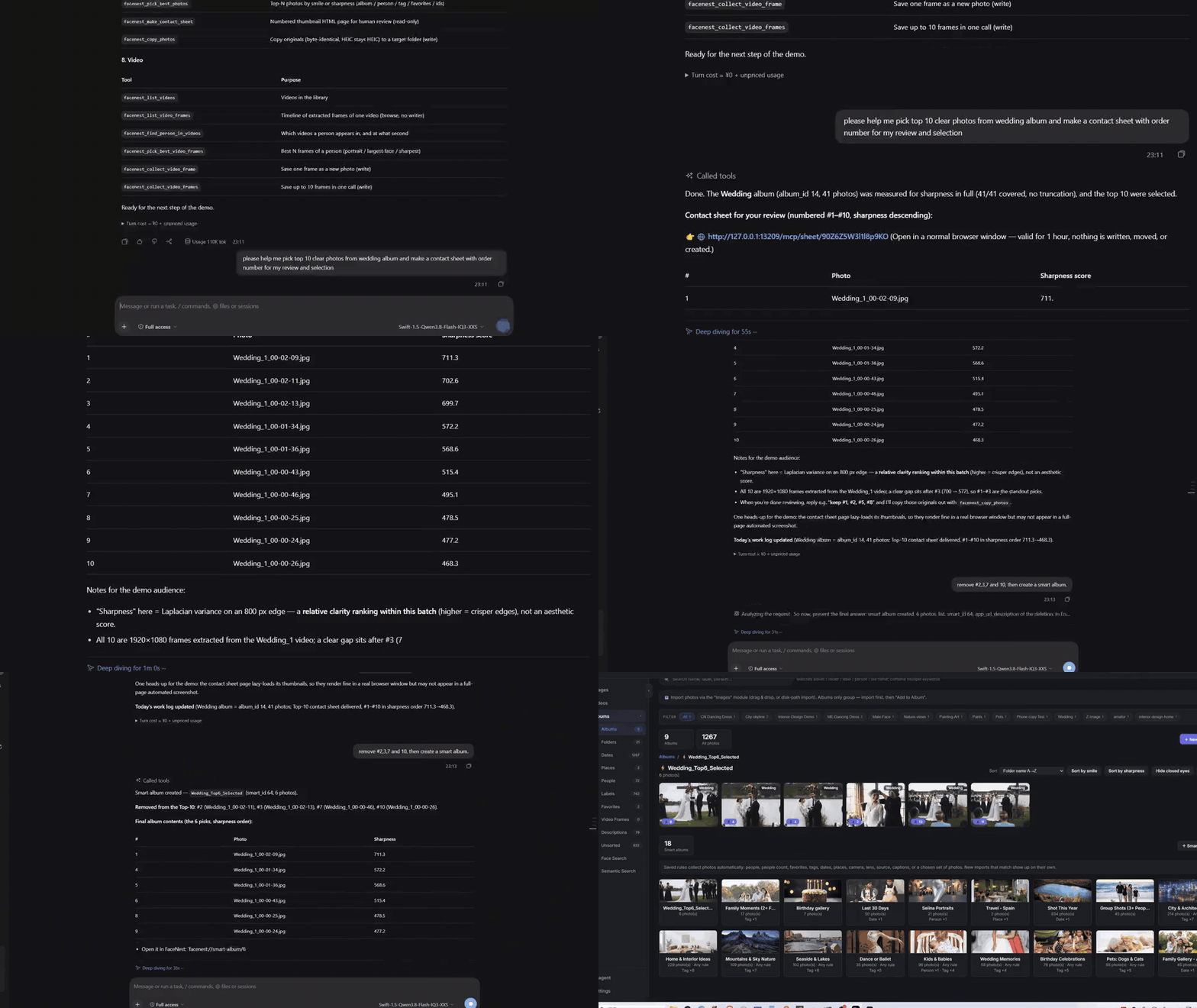
Candidates come back as a numbered contact sheet first, and you say which ones to keep — so "de-duplicate this" never decides your album for you.
Where it helps
Three things people actually use it for
The pattern is the same each time: the assistant finds and shortlists, you say yes before anything is created or copied.
One: cull a shoot down to what is worth keeping
You say: “Of these 120 shots, keep the sharp ones, one per moment, and make an album.”
First it needs a scope — which album, which folder, who in which video. If you don't say, it asks you one question before it starts.
Only when you ask for picks does it work: it groups near-duplicates first (the sameness check has a threshold), then ranks by sharpness (a relative score inside that batch), and lays the candidates out as a numbered contact sheet.
You say “in group 2 the eyes are closed, swap that one”, and only then it creates the album — which you can edit right away. Smile ranking is a separate mode (it needs a named person, and faces too small to measure are skipped), not a combined sharpness-plus-smile score.
Two: pull covers and stills out of video
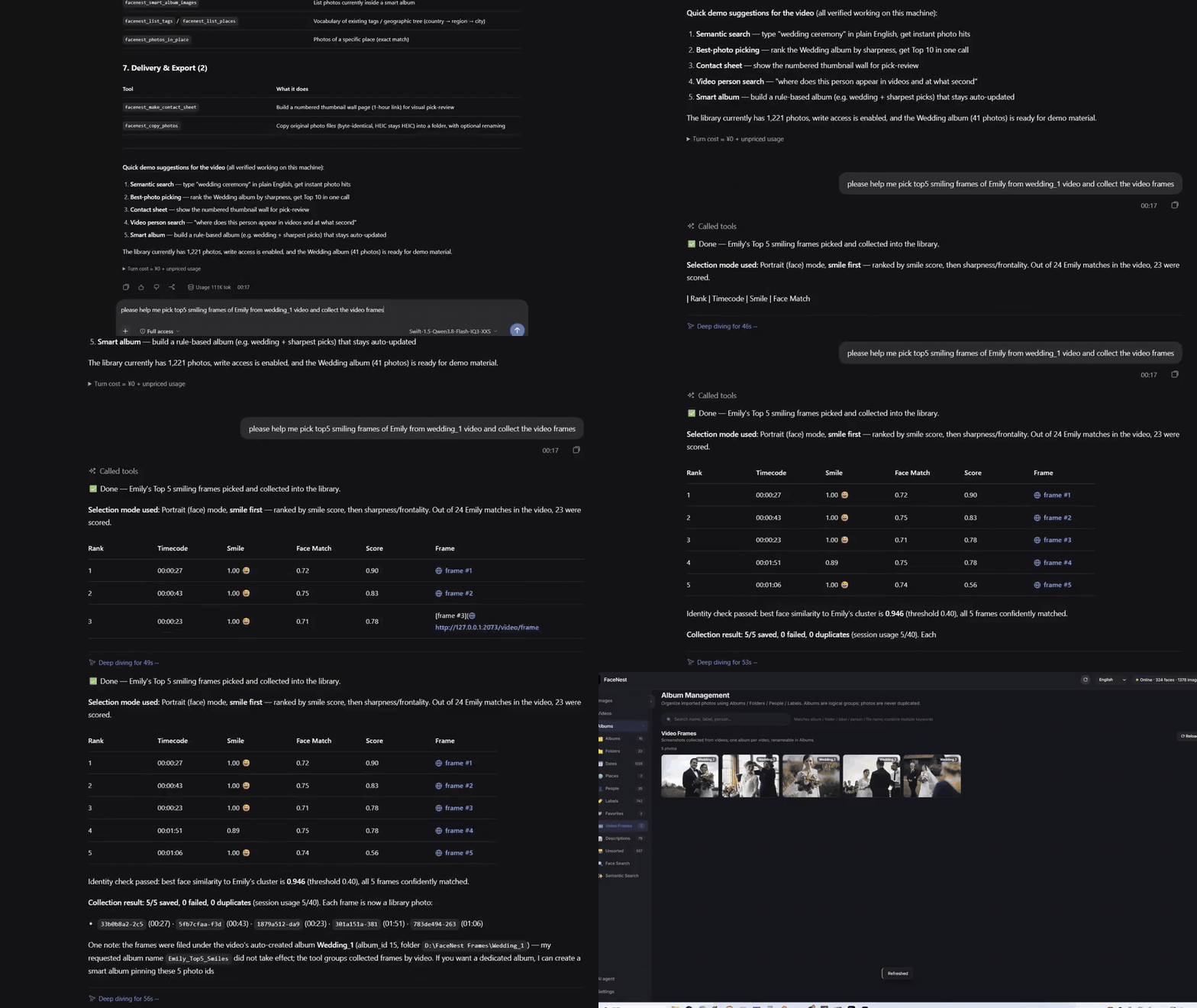
You say: “Pick 8 vertical covers from this clip — my face, in focus, no blur.”
The assistant does: it reads the frames FaceNest already extracted and indexed (no re-decoding), then ranks by face similarity, pose and sharpness — smiling frames first — and hands you candidates with timecodes.
Only after you say yes does it collect the chosen frames into an album; to export them as image files, it needs a folder you name that the app can write to.
Exporting frames is a write tool — it needs the write switch on in Settings.
Three: ask the library the way you would ask a person
“From last year's photos, which 30 have the most natural smiles?” — semantic search, people and dates chained into one answer (place needs GPS in the photos; if they have none, use the other conditions).
It is a real combination of tools, not a scripted demo; you get numbered results, and it exports only the ones you ask for.
The first semantic search of a session waits for the model to load (measured: roughly 25–30 seconds cold on a slow HDD, much faster on SSD / NVMe); after that it is quick.
Setup
Four steps, and the app writes the config for you
The port and the token live in a connection file the app writes. The whole config block is copied from Settings — nothing to type by hand.
Turn the server on
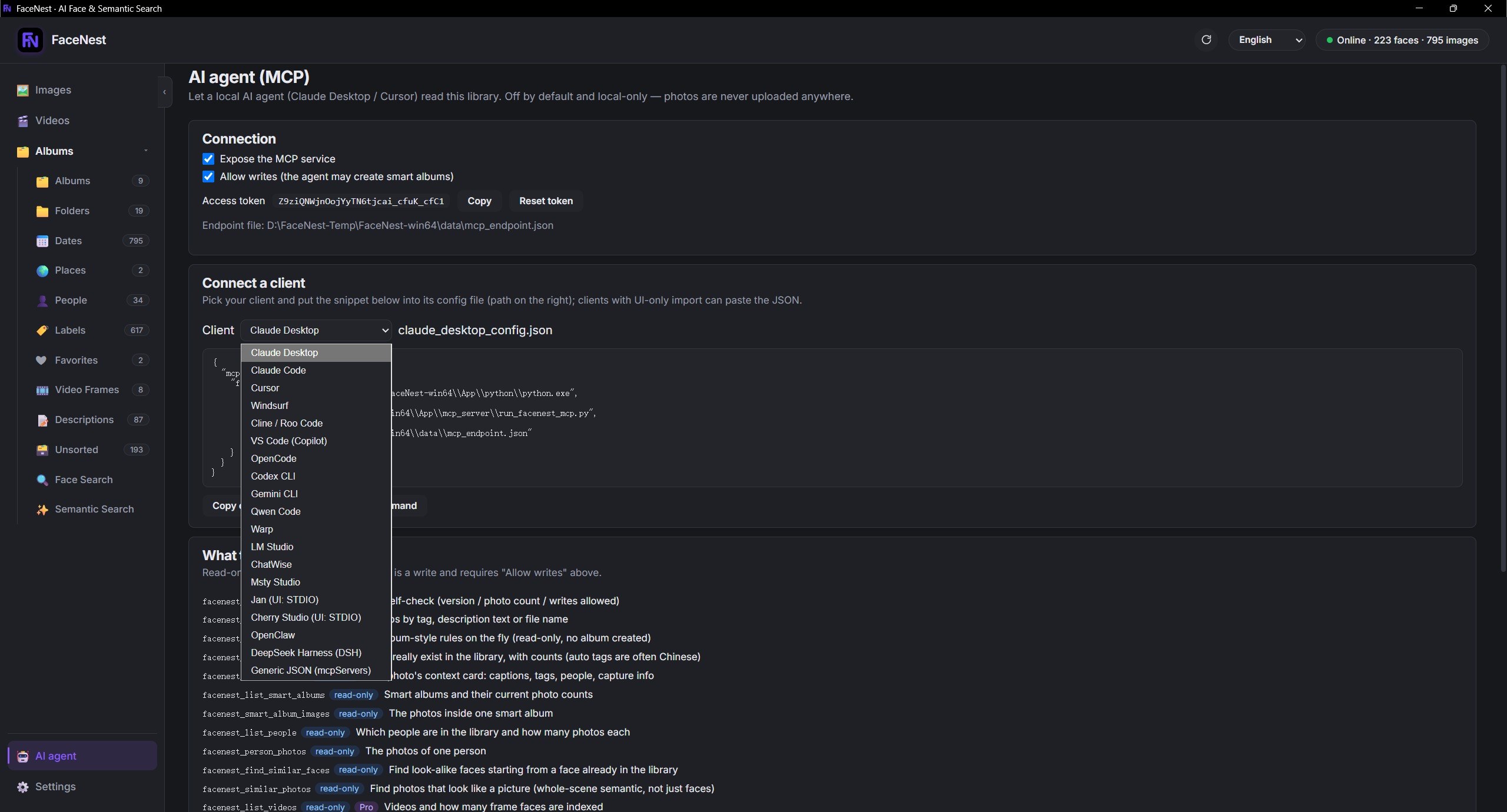
FaceNest → Settings → Advanced → Enable the local MCP server. The write option sits right next to it, unticked by default.
Copy the config
On the same page pick your client (Claude Desktop, Cursor, VS Code, OpenCode, Codex, Msty, Cherry Studio, DeepSeek Harness…), then copy the config.
Paste it into the assistant
Drop that JSON into the client's MCP configuration and restart the client. The first connection asks you to confirm the token once.
Start asking
When the FaceNest tools show up in the assistant, ask it to “list my albums” as a connection test. Settings shows recent calls, so you can see what was asked and when.
The boundaries
What it cannot see, and what it cannot do
This section is for your decision: knowing the boundaries is how you know which switch to flip.
| Item | Status |
|---|---|
| Your original photo files | The assistant gets thumbnails and ids, not your originals |
| Destructive actions | It cannot delete, rename or move your files — those are not exposed as tools at all |
| Default state | Read-only. Writing (copy photos, export video frames, create / change / delete smart albums) is your switch |
| Connection scope | Local only: 127.0.0.1 with a token. Rotating the token disconnects every connected assistant immediately |
| Quota | MCP calls use FaceNest's quota; the per-call limits are what “list the tools” in the app and the docs say |
| Price | MCP is not a paid feature: it is in the free tier, and the same subscription rules apply |
All 28 tools, by purpose
22 read-only, 6 write
Tool names are taken from the app's own tool list; a gate checks this table against it line by line, so a renamed tool turns the build red.
| Purpose | Tools |
|---|---|
| Connection and health (1) | facenest_ping |
| Search and queries (3) | facenest_search · facenest_semantic_search · facenest_query_photos |
| People (3) | facenest_list_people · facenest_person_photos · facenest_find_similar_faces |
| Similar and duplicate (2) | facenest_similar_photos · facenest_find_duplicates |
| Tags and descriptions (2) | facenest_list_tags · facenest_image_context |
| Albums (3) | facenest_list_albums · facenest_list_smart_albums · facenest_smart_album_images |
| Places (2) | facenest_list_places · facenest_photos_in_place |
| Video (4) | facenest_list_videos · facenest_list_video_frames · facenest_find_person_in_videos · facenest_pick_best_video_frames |
| Choosing (2) | facenest_pick_best_photos · facenest_make_contact_sheet |
| Writing (6, off by default) | facenest_copy_photos · facenest_collect_video_frame · facenest_collect_video_frames · facenest_create_smart_album · facenest_update_smart_album · facenest_delete_smart_album |
What we open-source
The adapter is MIT, the app stays closed
The layer the assistant talks to — the MCP adapter — is open source under MIT. FaceNest itself stays closed.
| Component | Licence | Notes |
|---|---|---|
| MCP adapter (tool definitions, argument validation, result shaping) | MIT | Public repository: run it yourself, change it yourself |
| FaceNest application | Closed source | Not open-sourced with the adapter; models and algorithms stay closed |
| Bundled models | Their own open licences | Shipped with the app; licence notes are in the documentation |
The repository is public The adapter repository is public, under the MIT licence: install it with pip install facenest-mcp, or run a self-test without installing anything — uvx facenest-mcp --selftest. The repository holds the notes for all 28 tools, the quick start and the error-code table; issues and pull requests are welcome, and security reports go to support@facenest.net.
Next step
Install it, flip the switch in Settings, then let your assistant ask it one question.