
Let your own computer do the looking.
Two ways to find any photo: search by face — and search by describing it. Both run on your own machine, so your photos and videos are never uploaded and search works offline. Unzip and run — no account required.
- Windows 10 / 11 · no installer
- Photos and videos processed entirely on your PC
- English / 中文 interface
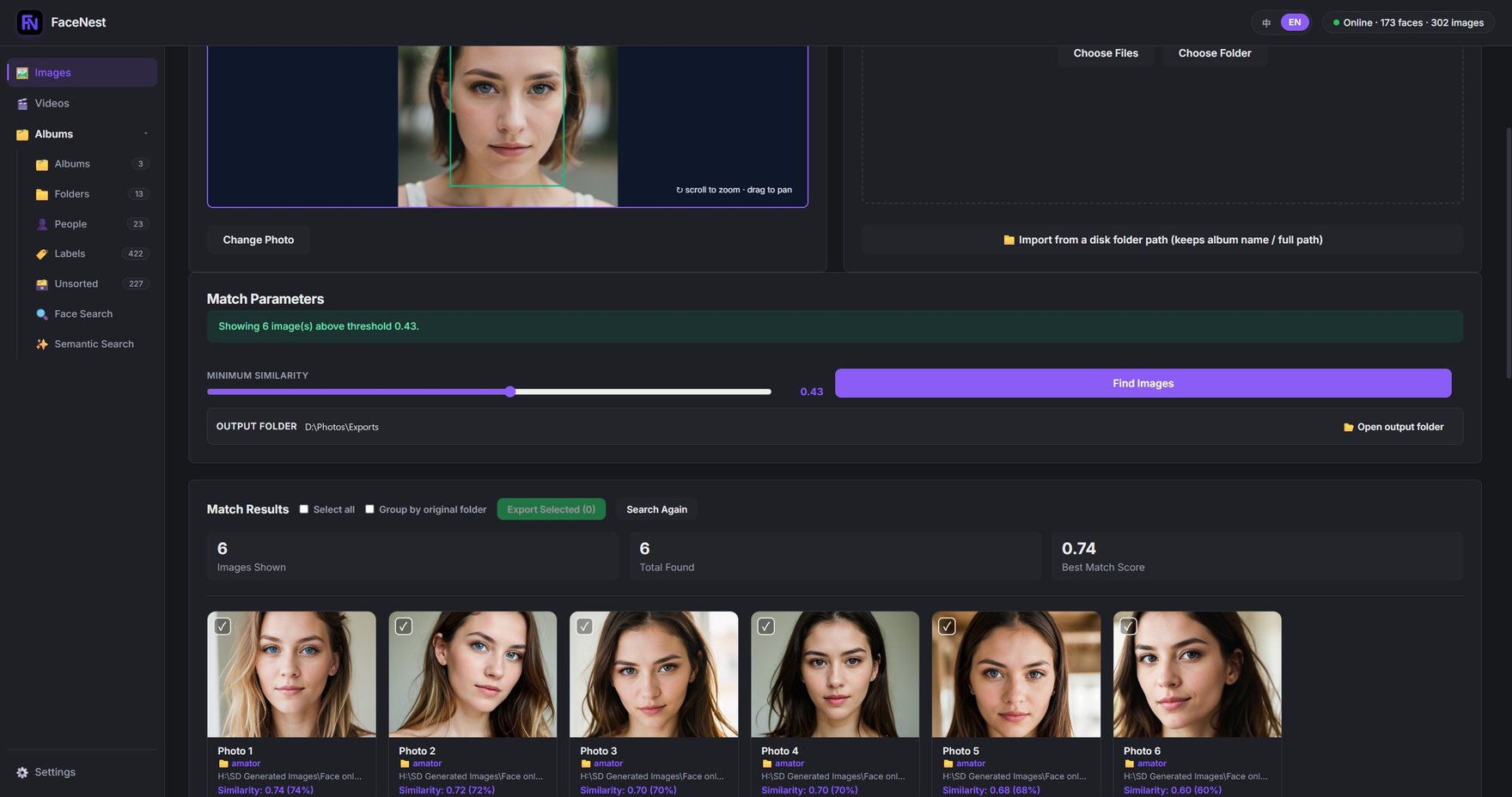
What FaceNest is — and what it is not: FaceNest is a local search and organising tool for the photos and videos already on your own computer. It does not generate, create, edit, retouch, swap or otherwise manipulate faces, images or videos — there is no image generation, no face swap and no deepfake capability anywhere in the product. Its face detection exists for one purpose only: to group and find your own photos by person. The originals on your disk are never modified.
Everything stays local
Photos, videos, the face database and the index all live on your disk. Nothing is uploaded, no account is needed, and it works offline.
Three ways to search
By person (face clustering), by tag (automatic tagging), or by a sentence (natural-language semantic search).
Unzip and run, no account
A portable Windows build: no Python to install, no account to create. Try the free tier first — 500 photos and 200 semantic searches.
Features
Six core features, from import to export
Not a pile of AI models bolted together — a few routes to "find that photo" that actually work end to end.
Face detection & clustering
Import once; the same person is grouped together automatically.
People viewAutomatic tagging
No manual sorting — your photos get scene and object tags on their own.
Labels viewSemantic search
Type something like "sunset beach people" and go straight to the photos.
Dedicated pageAlbums & folders
Browse by the folder structure you already have. Nothing to reorganise.
Albums / FoldersVideo too
Videos are sampled into frames and can be searched by person as well.
Video face matchingUnsorted & export
Select and export to the folder you choose. Your originals are never touched.
Export
Who it's for
Not only family photos
The same two searches — by face, and by describing the picture — fit any large image or video library. See all use cases.
Designers & creative work
Find the right reference in a library of tens of thousands — describe it instead of remembering file names.
Reference librariesVideo creators & social media
Match footage without scrubbing timelines, and find one person across every clip.
Asset librariesPhotographers & studios
Cull a shoot by person and by scene, instead of opening folder after folder.
Large shootsShops & content teams
Find product and scene shots by what is actually in the picture.
Product & scene shots
Privacy
Your photos never leave your PC. That is architecture, not marketing.
Face detection, tagging, the semantic index, search — all of it runs on your machine. The app goes online in exactly three situations: activation, the periodic licence check-in (subscription only, at least every 45 days, fully automatic), and payment (handled by Creem).
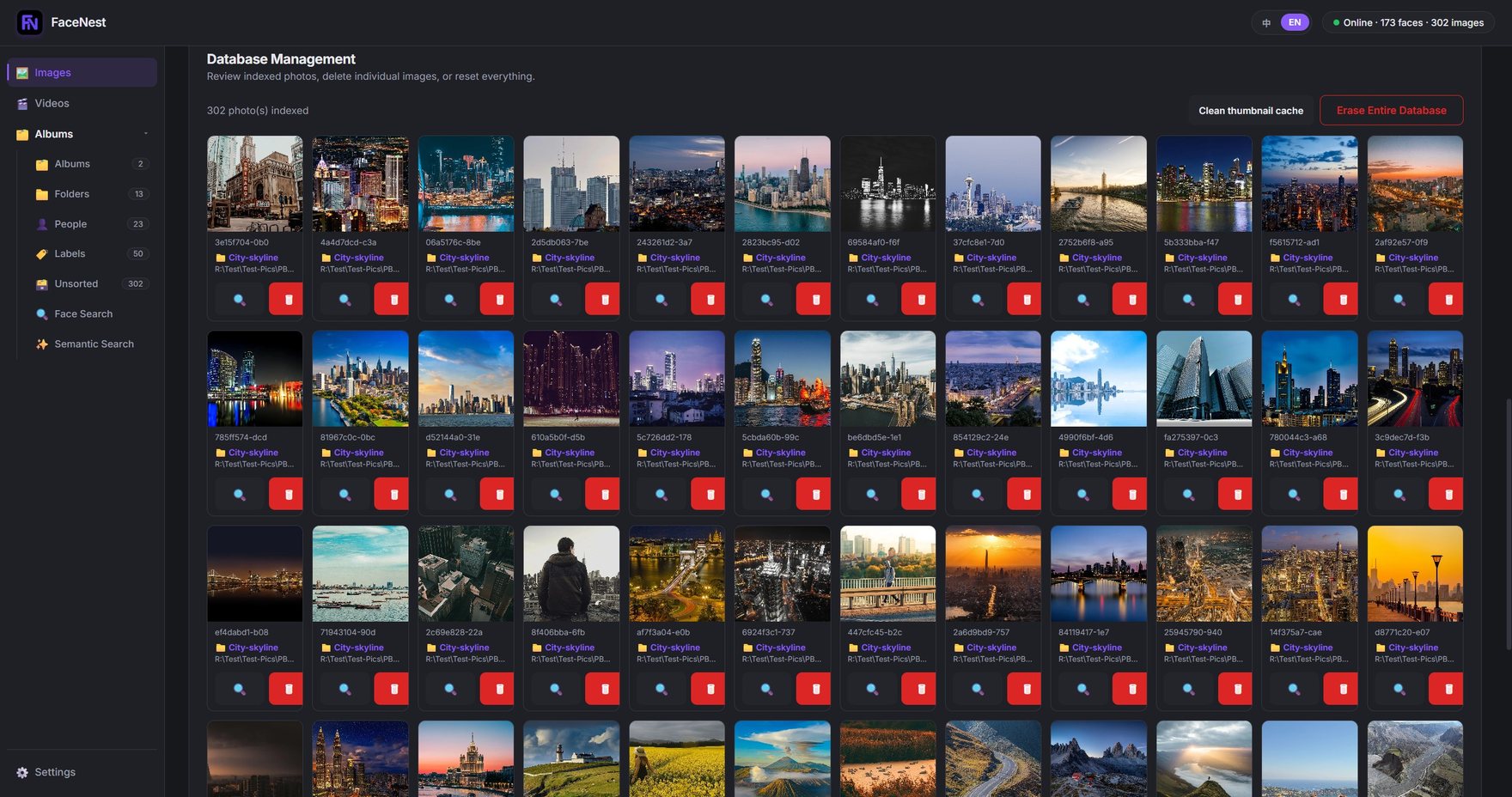
Library management: 302 photos indexed, with blurry and duplicate shots flagged inline.
Interface
A dark interface, built for looking at photos
Photos read truer against a dark background — which is why photo editors almost always are dark.
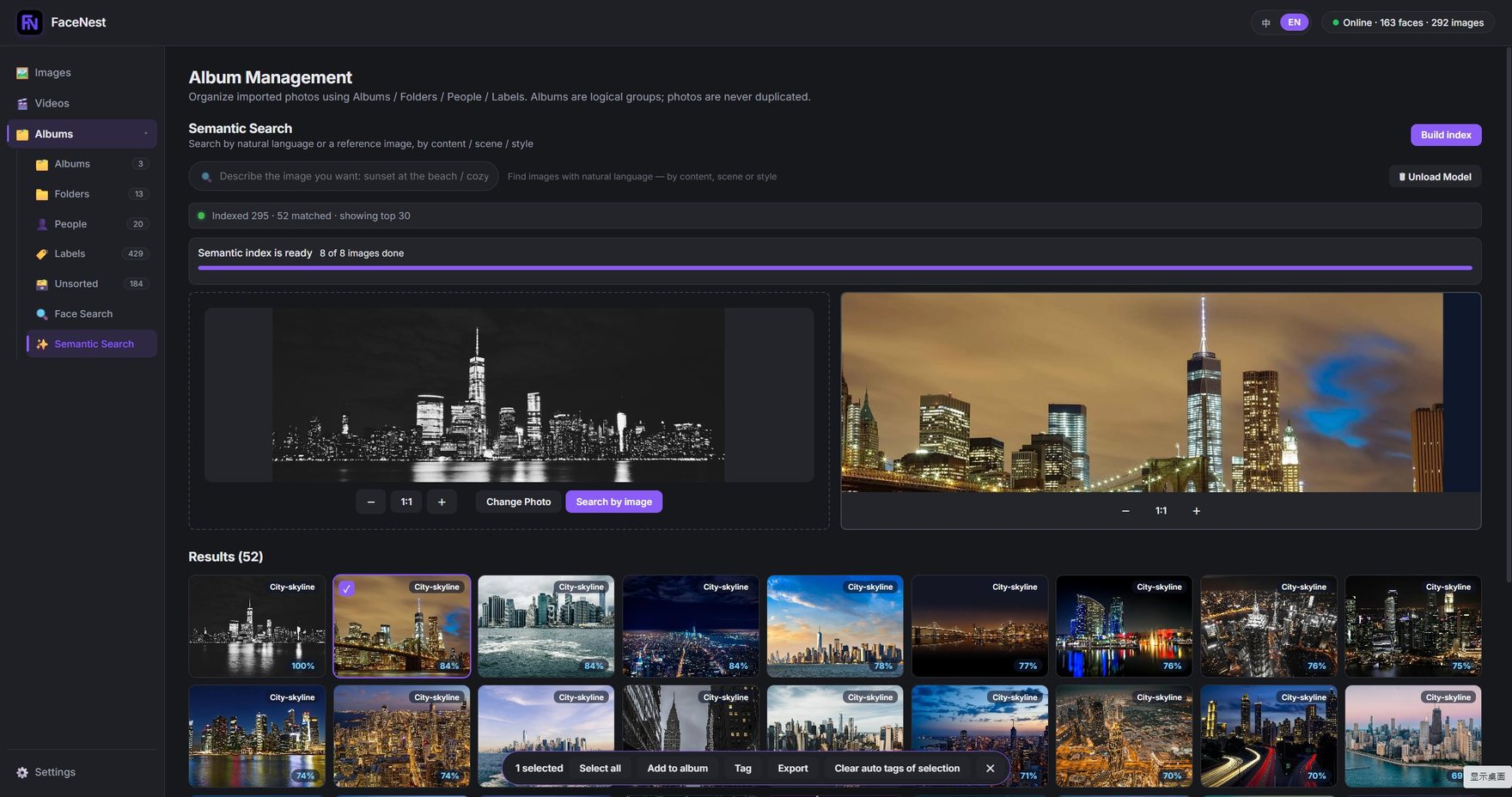
Search by image: give it a reference photo and find similar ones by content and style. 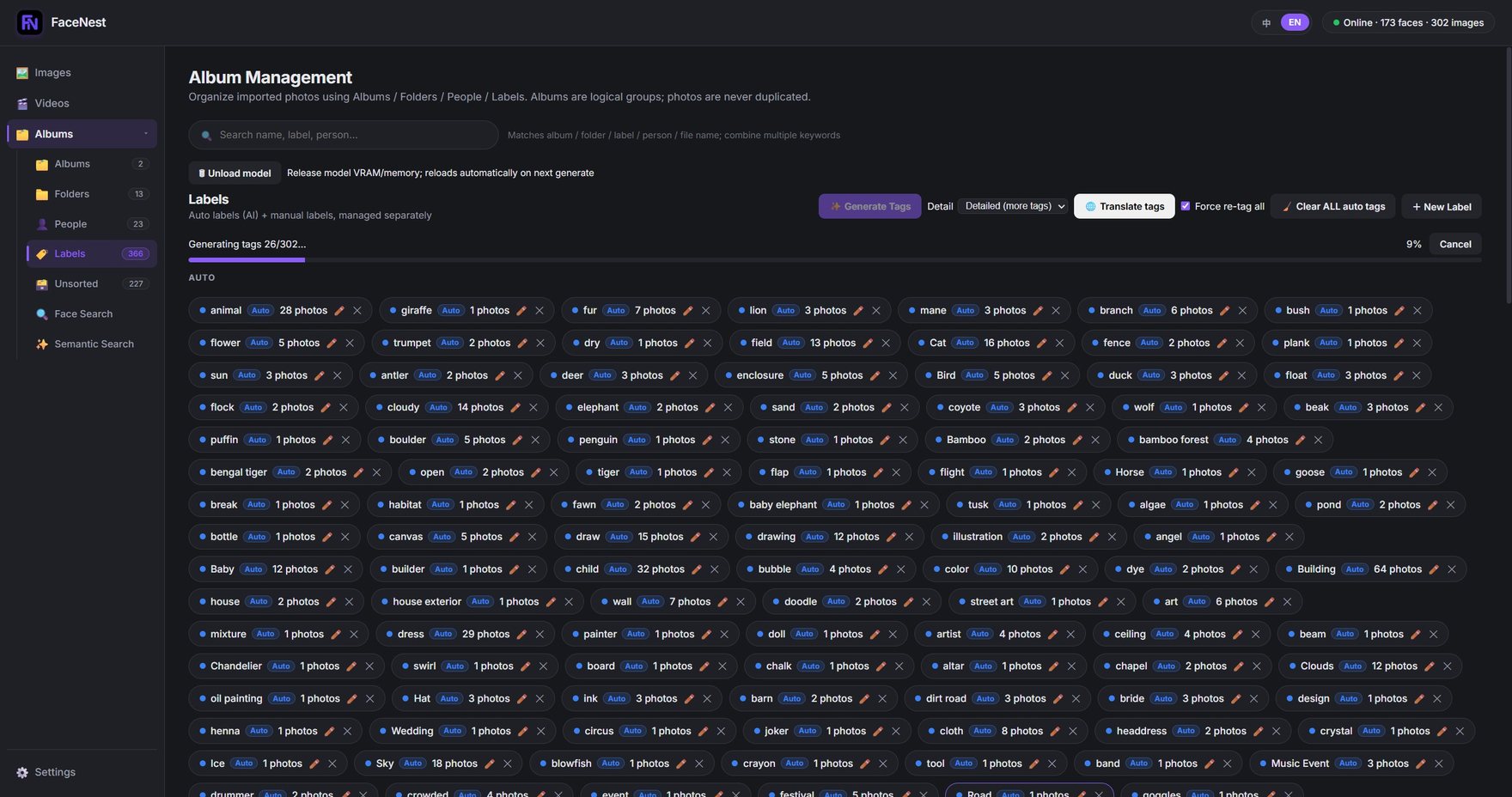
Automatic tagging: tags are counted by frequency, progress is visible, and you can cancel at any time.
Free tier
Try it first, decide later
The free tier is not a crippled demo — it is a version you can genuinely work in.
- 500photos in the libraryfree tier
- 200semantic searchesfree tier allowance
- ∞face / tag / album searchunlimited on the free tier too
- GPUused when you have onethe free tier is not restricted
Pricing
Two tiers, identical benefits
The only difference is how long you pay for. Unlimited library and unlimited semantic search — yearly and monthly give you exactly the same thing.
- Library limitUnlimited
- Semantic searchUnlimited
- Activatable devices2
- GPU accelerationWhen you have an NVIDIA GPU
- Library limitUnlimited
- Semantic searchUnlimited
- Activatable devices2
- GPU accelerationWhen you have an NVIDIA GPU
There is a 14-day grace period after expiry. When it ends you simply drop back to the free tier — your existing photos, faces, tags and albums remain searchable, and not a single file is deleted. Read the full details
FAQ
Four questions we get asked most
Do I need an NVIDIA graphics card?
No. It works without a discrete GPU — semantic search is just noticeably slower. When you do have an NVIDIA card, GPU acceleration kicks in automatically and is roughly an order of magnitude faster (measured at 17.8x).
Are my photos uploaded to your servers?
No. All detection, indexing and search happen on your own PC. The app goes online in exactly three situations: activation, the periodic licence check-in (subscription only, at least every 45 days, fully automatic), and payment (handled by Creem). See the privacy policy.
Will my photos be locked when my subscription ends?
No. There is a 14-day grace period after expiry, and when it ends you simply drop back to the free tier (library capped at 500 photos, semantic search switched off). Your existing photos, faces, tags and albums remain searchable — not a single file is deleted.
Which image formats can I import?
JPEG, PNG, WebP, BMP, GIF and JFIF — plus the two formats phones actually shoot: HEIC / HEIF (iPhone and newer Android) and AVIF. HEIC originals are kept byte-for-byte; FaceNest only converts a copy for on-screen display. Reference photos for the three searches accept them too.
Download first, decide later
The free tier includes the full face, tag and album search. No account, no runtime to install.